Messy CSV exports
Different exchanges use different columns, labels, timestamps, and transaction types.
Private macOS crypto tax utility
CapitalProof Tax helps Australian crypto investors review exchange CSVs, find missing evidence, add accountant notes, and export PDF, CSV, and ZIP files through user-selected Mac save locations.
Not tax, legal, or financial advice. Not affiliated with or endorsed by the Australian Taxation Office. Always review exports with a qualified Australian tax professional.

The problem
Exchange exports can be incomplete, inconsistent, duplicated, or missing AUD values. CapitalProof Tax is built to make that review process clearer before the files reach a tax professional.
Different exchanges use different columns, labels, timestamps, and transaction types.
Unmatched transfers, missing cost base, and missing AUD valuation can slow down tax review.
Accountants need a clear ledger, notes, source references, and exportable evidence.
The Mac app uses user-selected save locations. Files are not silently dropped into Downloads.
Workflow
The app stays intentionally narrow: it prepares records and evidence for professional review. It does not trade, custody funds, file returns, or ask for wallet secrets.
Select Australia, choose the financial year, choose Investor or Accountant mode, and accept the not-tax-advice notice.
Choose exchange CSVs through the Mac file picker. The app reads only files selected by the user.
Search, filter, sort, resolve issues, ignore items for later, and add notes for accountant review.
Save PDF, CSV, full ledger CSV, and ZIP exports only after choosing a destination.
Application sections
The public website shows static product screenshots only. The working app route is opened by the macOS WebView shell with protected app access, not as a free browser product.
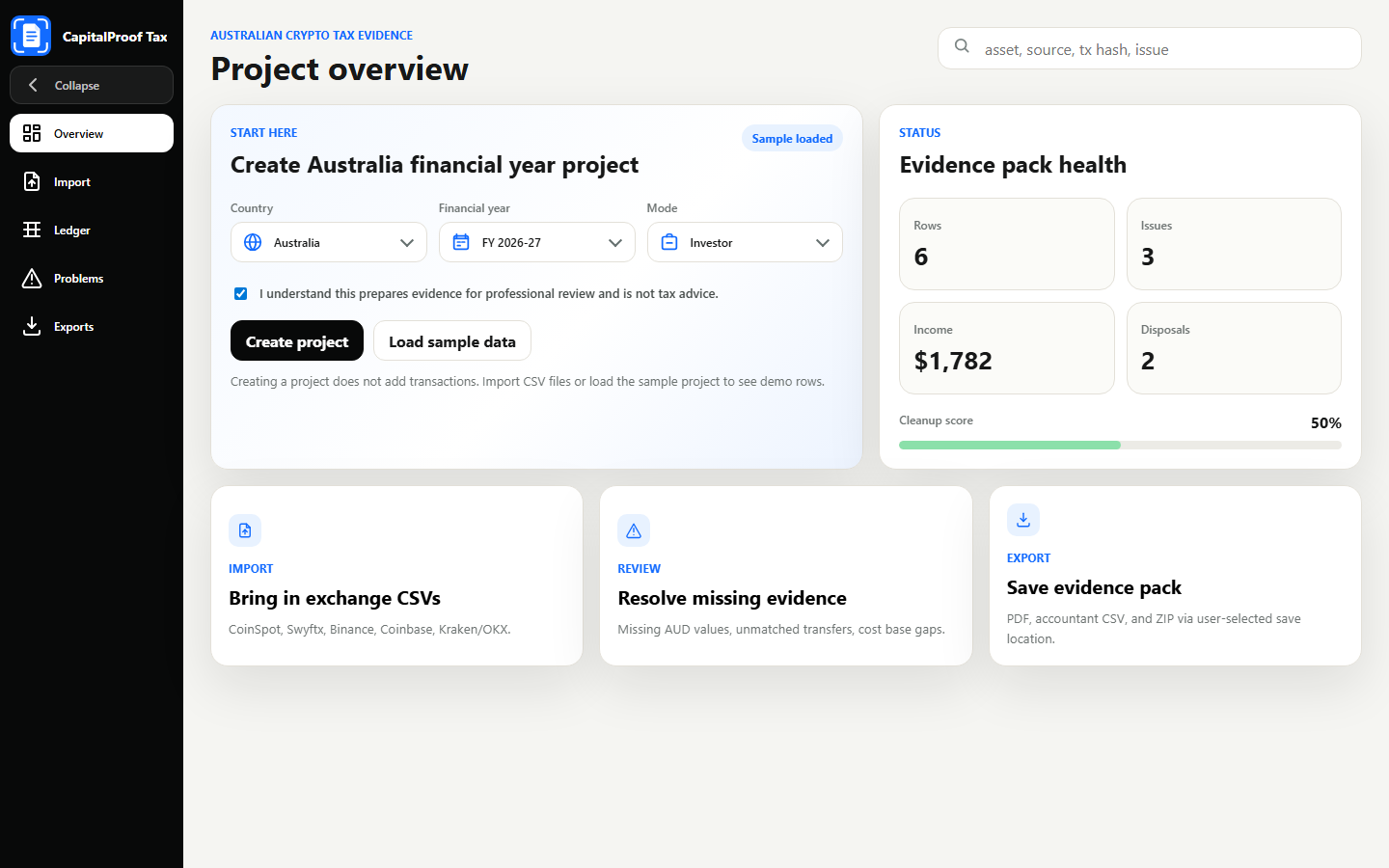
Overview
The user selects Australia, chooses the financial year, chooses Investor or Accountant mode, and accepts the not-tax-advice notice. Creating a project does not add transactions by itself.
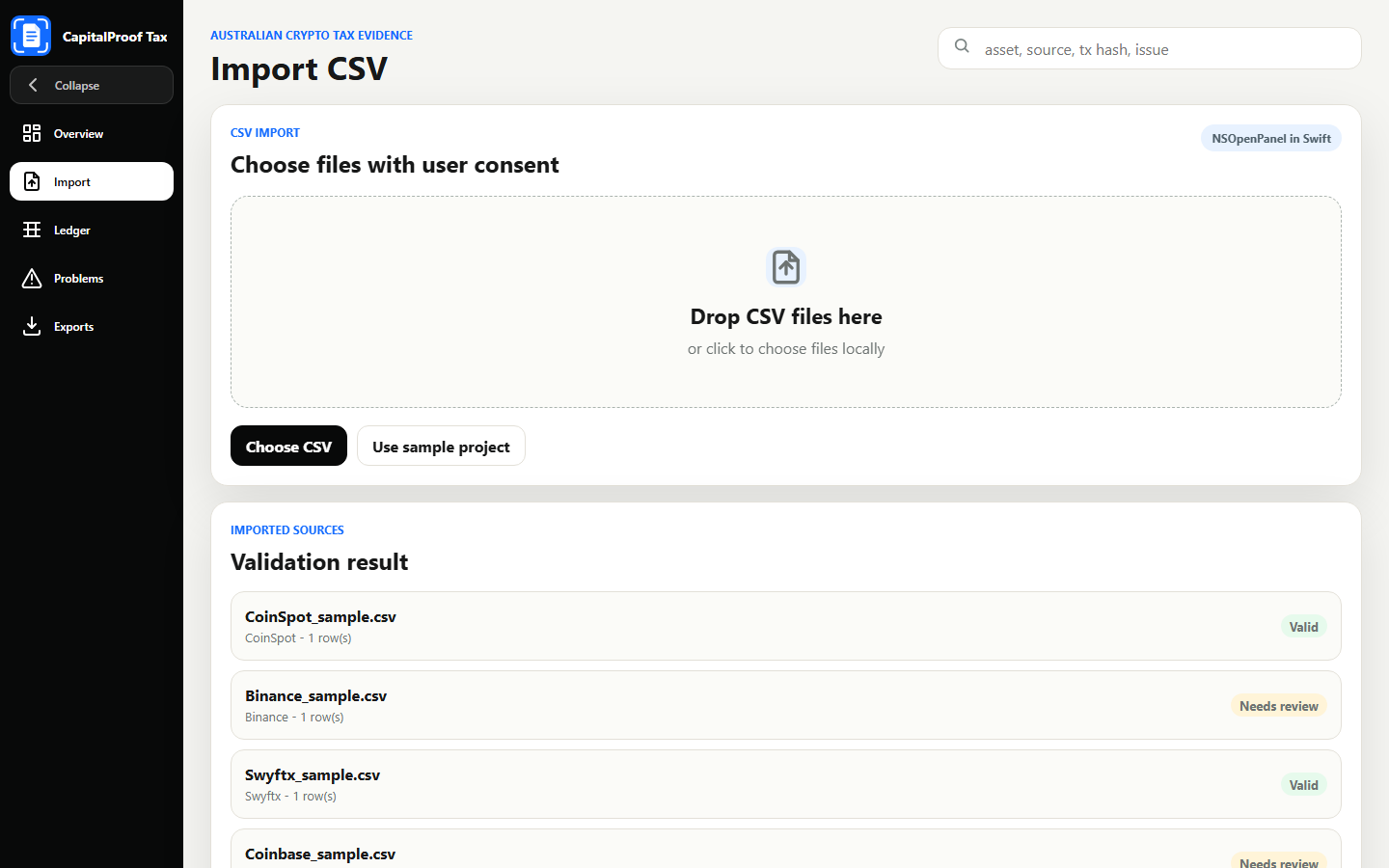
Import CSV
The import section is where users choose CSV files from exchanges. In the final Mac app, this action is handled by Swift with a native file picker, so the app reads only files selected by the user.
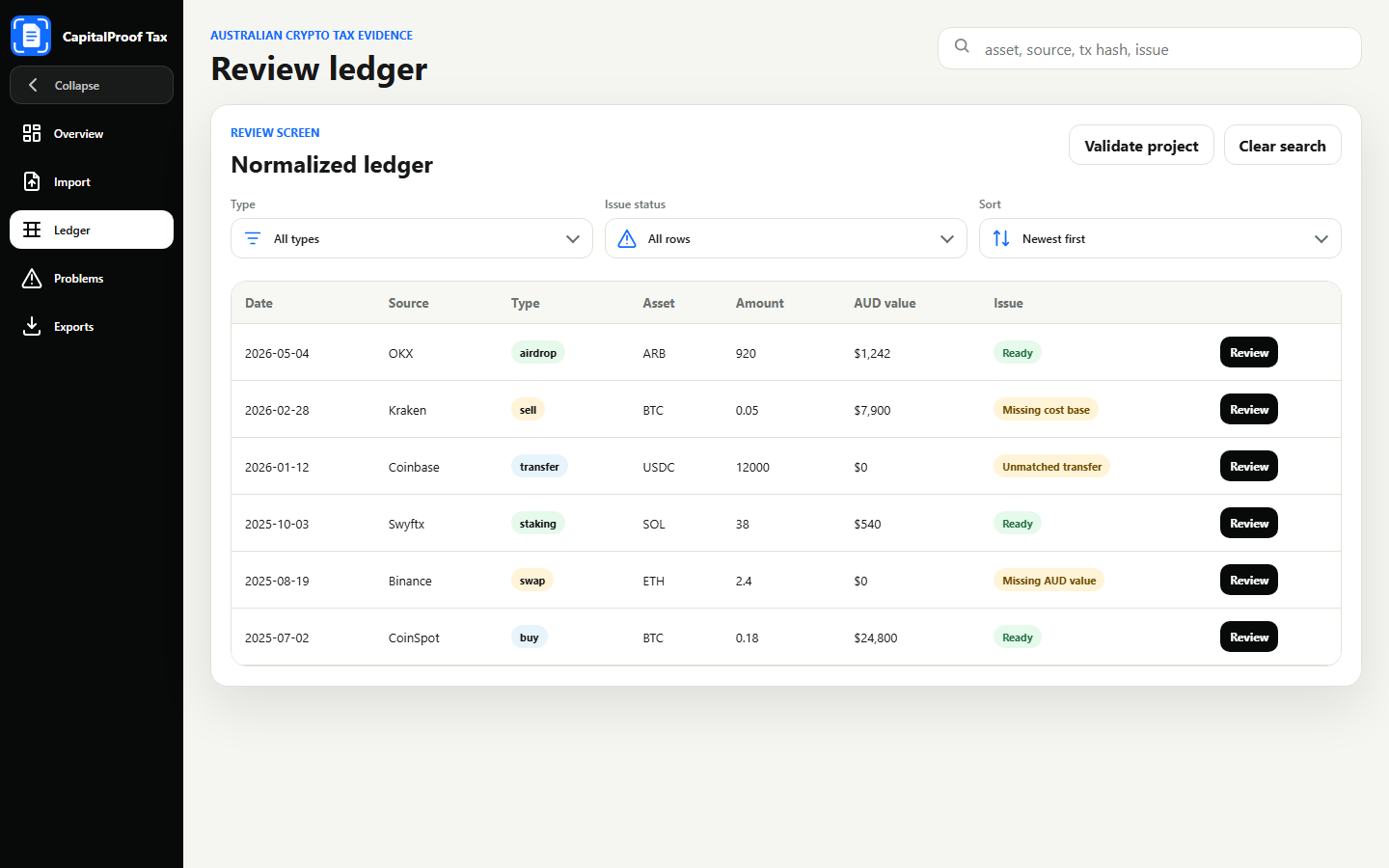
Ledger
The ledger turns imported CSV data into a common review table. Users can search, filter, sort, inspect issue status, and open rows that need accountant notes or correction.
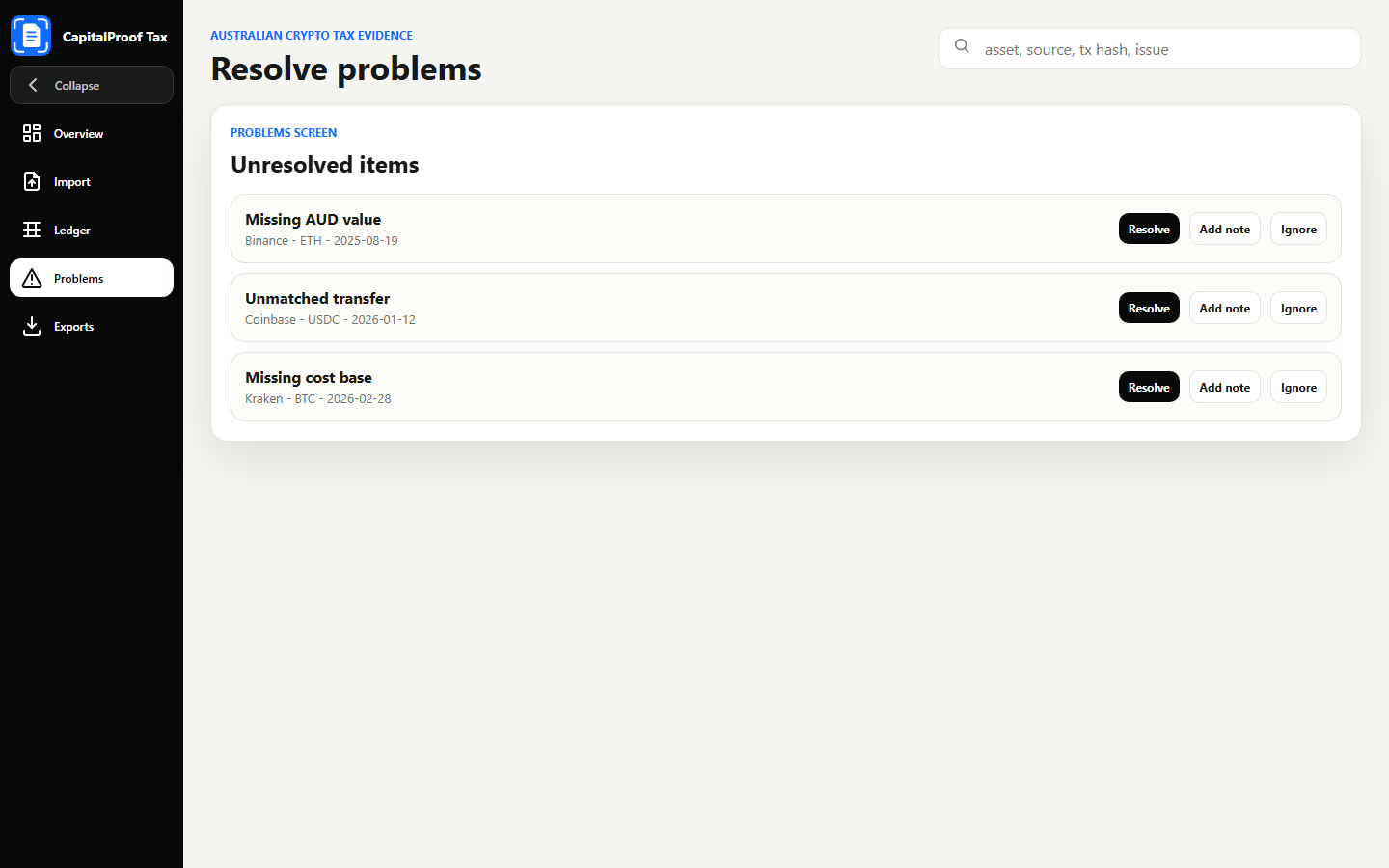
Problems
The problems screen highlights unresolved items such as missing AUD values, unmatched transfers, unknown classifications, and missing cost base. Users can resolve, ignore for later, or add review notes.
Exports
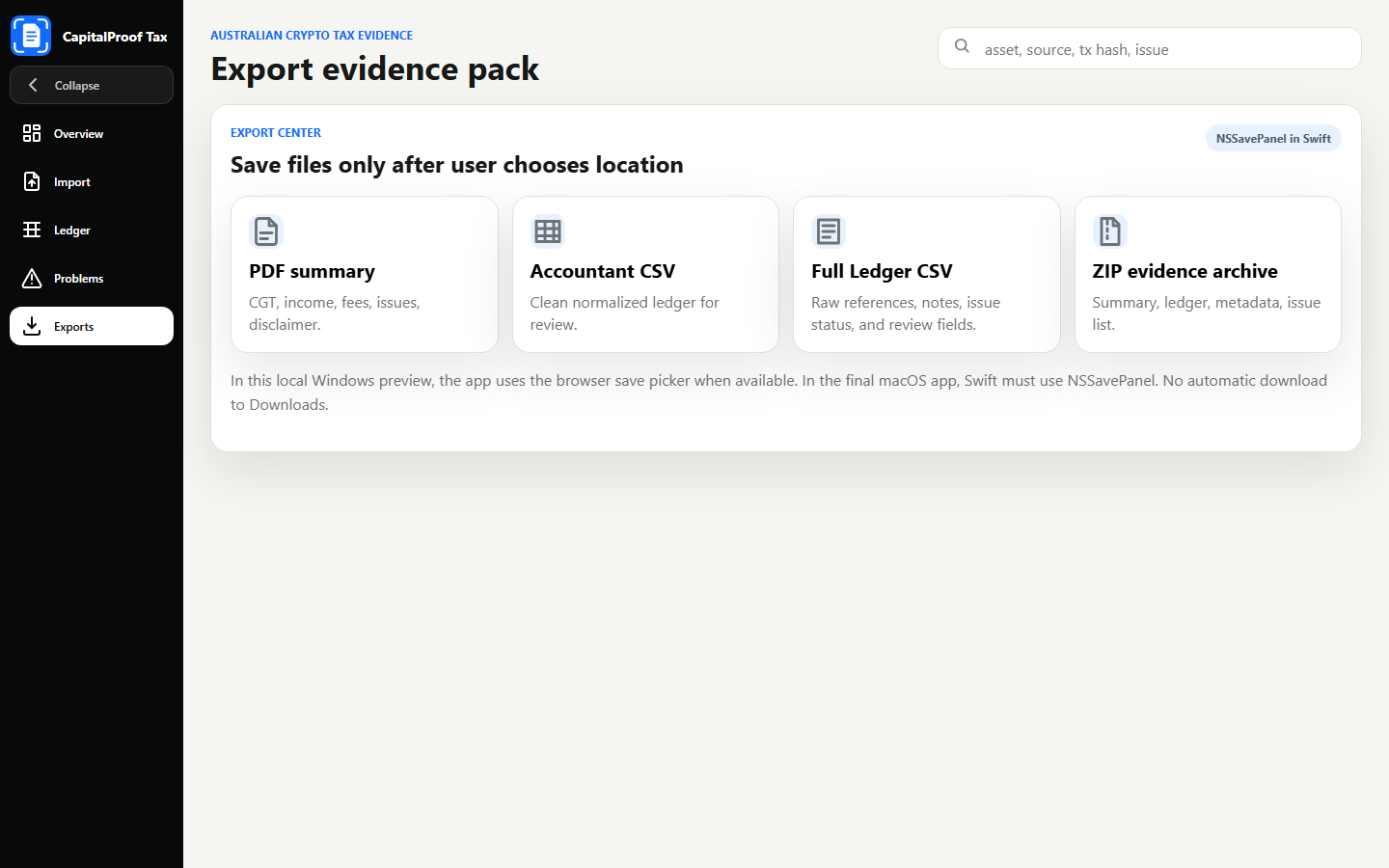
The export section prepares the useful file downloads required by the product: PDF summary, accountant CSV, full ledger CSV, and ZIP evidence archive. In the Mac app, Swift opens a save panel before writing.
Exports
Exporting files is a core product feature, not a fake download button. The user needs files to share with an accountant or keep as supporting records.
A readable summary with row counts, unresolved issues, income summary, disposal count, and disclaimer.
A clean ledger export designed for professional review and spreadsheet workflows.
Raw references, notes, issue status, and price source fields for deeper checks.
A package containing summary, ledger, full ledger, metadata, and issue list files.
Native Mac behavior
A simple website wrapper is not enough. CapitalProof Tax is designed to use native file panels, sandbox-safe permissions, Finder actions, and proper close behavior in the final Mac app.
CSV import uses macOS file selection. The app reads only files the user chooses.
PDF, CSV, and ZIP exports use a save panel. Files are created only after the user confirms a destination.
After export, the Mac app can open the file or reveal it in Finder. Closing the window quits the app fully.
CapitalProof Tax is not a wallet, exchange, broker, custody service, tax agent, or tax filing service. It does not request seed phrases, private keys, exchange passwords, or withdrawal permissions.